
根目录临时文件守卫 Root Temp Guard
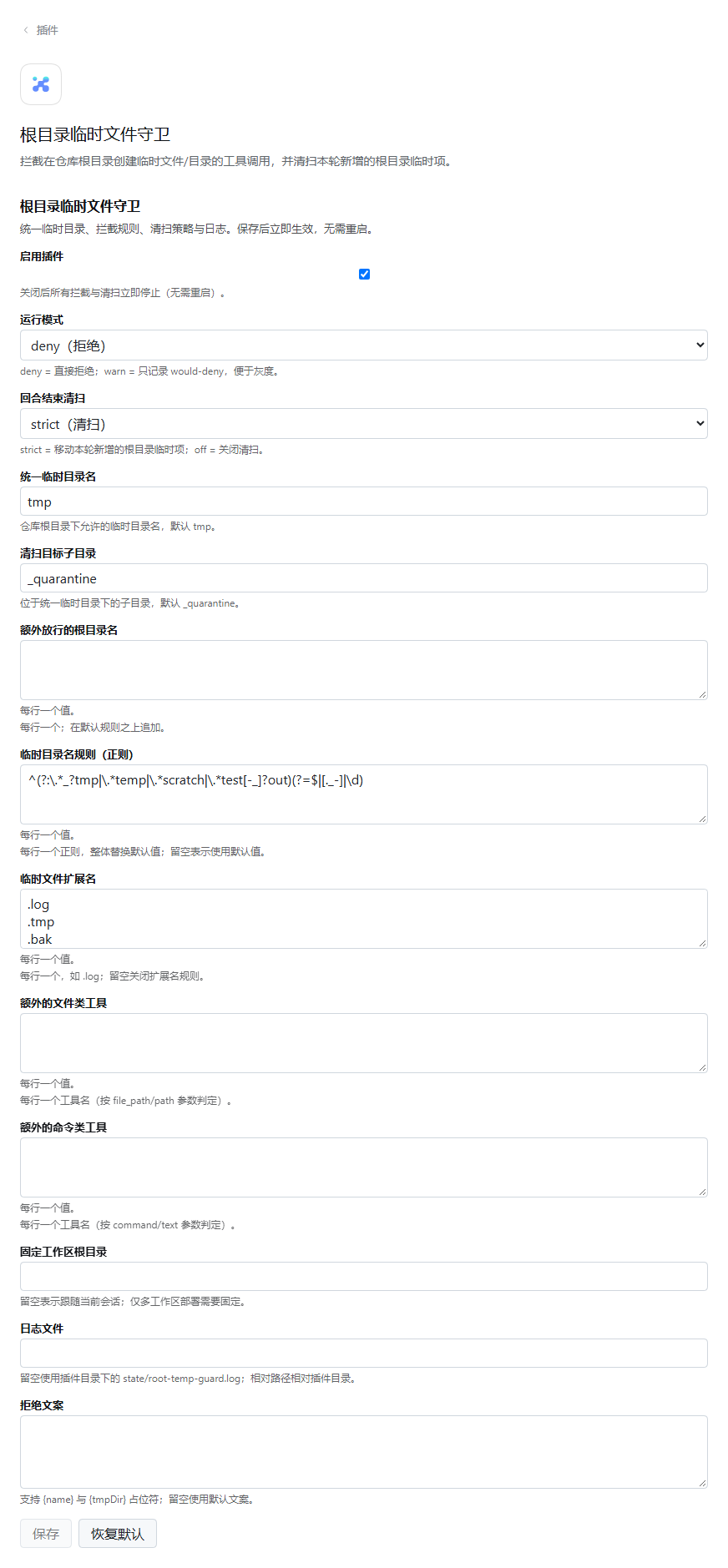
把「临时产物统一放 tmp/」从文字约定变成执行期拦截:四层检查覆盖文件工具与命令类工具,回合结束把新增的根目录临时项移入 tmp/_quarantine/,并提供保存即生效的图形化设置页。
Turn “keep temporary artifacts under tmp/” from a written convention into an enforced check: four enforcement layers cover file and shell tools, new root temp entries are moved into tmp/_quarantine/ at turn end, and a graphical settings page saves live.
dsh plugin --profile web add dsh-root-temp-guard
MITMIT

四层拦截,fail-openFour layers, fail-open
文件类工具走参数层与已解析目标层;命令类工具做启发式文本匹配;回合结束清扫兜底。任何内部异常一律放行并记日志,不会卡死工具调用。 File tools are checked at the argument and resolved-target layers, shell tools are matched heuristically, and a turn-end sweep backstops both. Internal errors fail open and are logged.
提前拒绝Early deny
tools/pre-execute 在审批之前返回 deny;warn 模式只记日志。tools/pre-execute denies before approval; warn mode only logs.
单调守卫Monotonic guard
ctx.tools.guard() 在审批之后执行,按会话当前工作目录解析路径。ctx.tools.guard() runs after approval and resolves against the session's current directory.
已解析目标Resolved target
监听 fs/write-intent / fs/edit-intent,用 realpath 身份判定,junction 无法绕过。Listens to fs/write-intent / fs/edit-intent and judges by realpath, so junctions cannot hide entries.
回合结束清扫Turn-end sweep
把本轮新增的根目录临时项移动到 tmp/_quarantine/,可人工恢复;并发回合延迟到最后回合。New root temp entries move to tmp/_quarantine/ for manual recovery; concurrent turns defer to the last one.
实时配置Live config
根 .volatile() Config schema,设置页保存后无需重启;转 warn 只看日志。Root .volatile() Config schema; saves apply without a restart, and warn mode logs instead of denying.
会话根感知Session-root aware
工作区根目录来自当前会话,换项目自动生效;只有显式配置时才固定根目录。The workspace root comes from the session, so switching projects just works; pin it only explicitly.
工作方式How it works
tools/pre-execute → ctx.tools.guard() → execute
write / edit / str_replace_editor / apply_patch → fs.resolve → fs/write-intent | fs/edit-intent → ctx.fs
session/event turn/start · turn/end → quarantine sweep
两种安装方式Two ways to install
CLI profile(组合包)CLI profile (bundle)
web / headless 等由 CLI 管理的 profile,安装后自动插入 root-temp-guard 行。For web/headless profiles managed by the CLI; installation inserts the root-temp-guard row automatically.
dsh plugin --profile web add dsh-root-temp-guard
本地目录安装:From a local directory:
dsh plugin --profile web add "file:$env:USERPROFILE\.dsh\plugins\dsh-root-temp-guard"
桌面 profile(绝对路径)Desktop profile (absolute path)
desktop profile 由 Electron 管理,在 cordis.patch.yml 末尾插入:The desktop profile is Electron-managed; append this to its cordis.patch.yml:
- insert:
    - id: root-temp-guard
      name: '<用户目录>\.dsh\plugins\dsh-root-temp-guard\index.mjs'
      config:
        tmpDirName: tmp
代码改动后重启一次;设置页卡片随后出现。Restart once after code changes; the settings card then appears.